
Your SaaS company relies on an inbound pipeline. Search engines have always used crawlers to index content, but AI systems and autonomous agents don’t just read your pages. They synthesize, evaluate, and act on your offer.
Cloudflare replaced its one-click “block AI bots” switch with a real taxonomy: Search, Agent, and Training. Its new defaults took effect on September 15, 2026, for newly onboarded domains on pages that display ads. Meanwhile, Google confirmed at I/O that search is becoming agent-driven.
So the crawl-or-block binary you’ve been running on is obsolete. If your technical infrastructure does not explicitly manage these categories, you risk losing visibility in the tools your prospective buyers use to evaluate software.
Key Takeaways
- The binary crawl-or-block model is dead: Blanket directives in your robots.txt file either kill your pipeline or expose your intellectual property without returning referral traffic.
- Cloudflare’s new taxonomy creates strategic control: Distinguishing between Search, Agent, and Training bots allows you to capture high-intent AI traffic while blocking unpaid model training.
- Execution requires immediate cross-functional alignment: Your engineering and marketing teams must implement a granular, three-tier access policy before Cloudflare’s default settings dictate your AI market presence.
Why Cloudflare’s Taxonomy Impacts Your Pipeline Today
If your marketing and web devs cannot control how AI platforms crawl, parse, and cite your product, your inbound pipeline is operating on borrowed time.
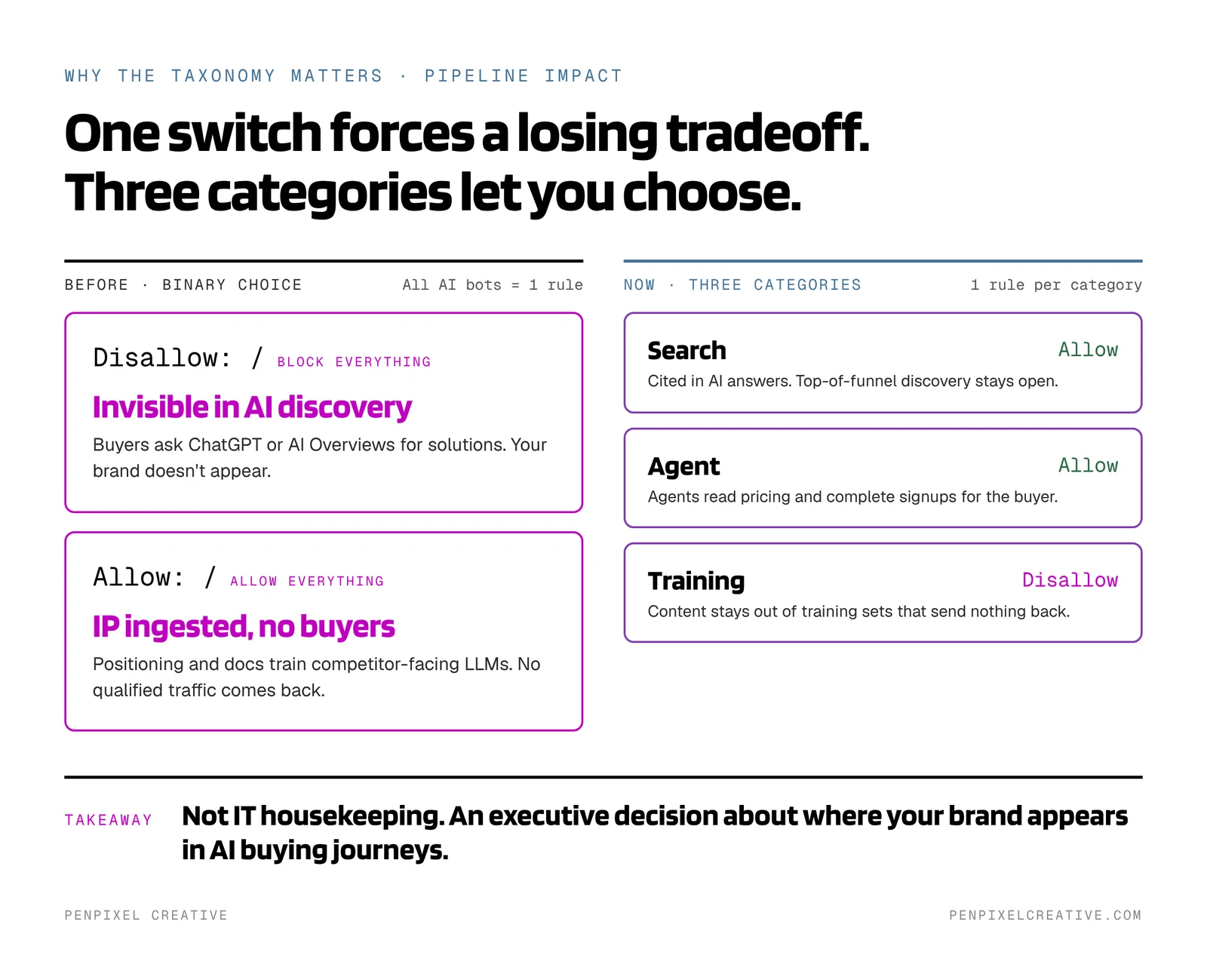
Previously, your site traffic management relied on a binary choice: allow a bot or block it.
Cloudflare’s shift to a three-tier taxonomy (Search, Agent, and Training) reflects how AI platforms actually consume the web today:
- Search Crawlers: Gather real-time information to answer active buyer queries.
- Agentic Crawlers: Execute actions on behalf of a user, such as evaluating feature sets, checking pricing, or testing self-serve signup flows.
- Training Crawlers: Scrape proprietary brand assets to train LLMs without sending traffic back to your domain.
If you’re treating all AI traffic as a single entity, you’re faced with a destructive tradeoff:
- Block everything: You disappear from AI-driven discovery entirely. When a prospective buyer searches for solutions in ChatGPT or Google AI Overviews, your brand does not appear.
- Allow everything: AI models freely ingest your intellectual property, positioning charts, and documentation to train competitor-facing LLMs, without delivering qualified buyers to your site.
But by categorizing bots into functional buckets, you gain precise control over how AI engines index and interact with your business.
This is not an IT housekeeping exercise. It is an executive decision about where and how your brand appears in AI-driven buying journeys.
The Three Categories of AI Crawlers
To configure your technical policy correctly, you must understand what each crawler type does when it hits your domain.
1. Search Bots
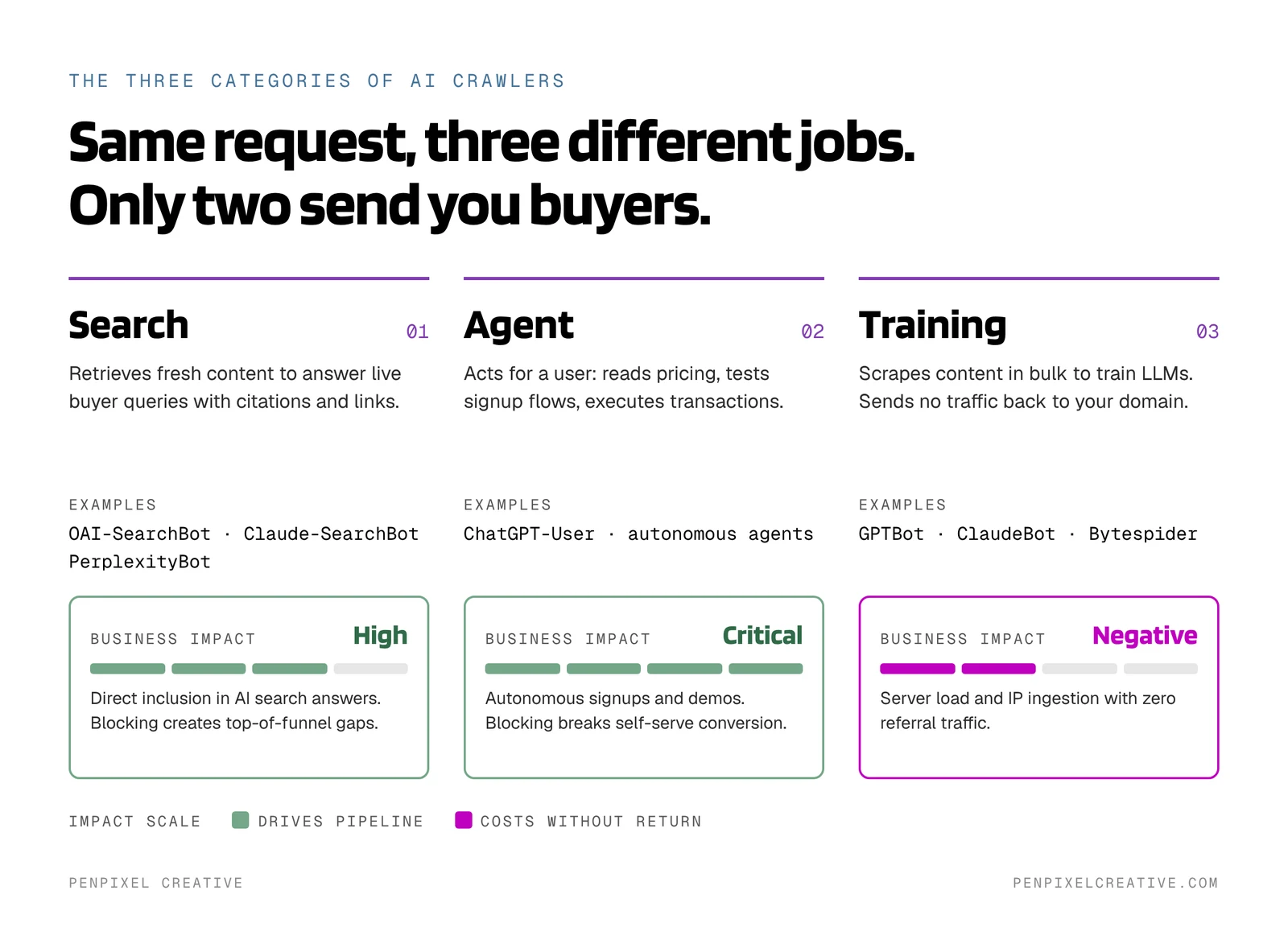
Search bots retrieve fresh content to answer immediate user queries.
- Examples: OAI-SearchBot, Claude-SearchBot, PerplexityBot
- Purpose: Indexing pages to return live citations, links, and summaries.
- Business Impact: High. Blocking these bots removes your product from modern answer engines, creating immediate gaps in top-of-funnel discovery.
2. Agentic Bots
Agentic bots interact directly with site interfaces to perform multi-step tasks for users.
- Examples: ChatGPT-User, future autonomous workflow engines
- Purpose: Reading pricing tables, evaluating self-serve onboarding flows, and executing transactions.
- Business Impact: Critical. For SaaS platforms with self-serve or low-friction motions, restricting agent access breaks user conversion pathways.
3. Training Bots
Training bots collect large datasets to build foundational or fine-tuned AI models.
- Examples: GPTBot, ClaudeBot, Bytespider
- Purpose: Scraping mass text to train underlying LLMs.
- Business Impact: Neutral to negative. These crawlers generate server load and ingest proprietary content without driving referral links or qualified leads.
How to Work With Your Dev Team to Implement Cloudflare’s Agent Taxonomy
Have your web dev team define the access rules and instruct your engineering team to execute them.
Hand the following directives to your engineering or web development team to ensure your robots.txt file and Cloudflare settings align with your revenue strategy.
Step 1: Request an Access Policy Audit
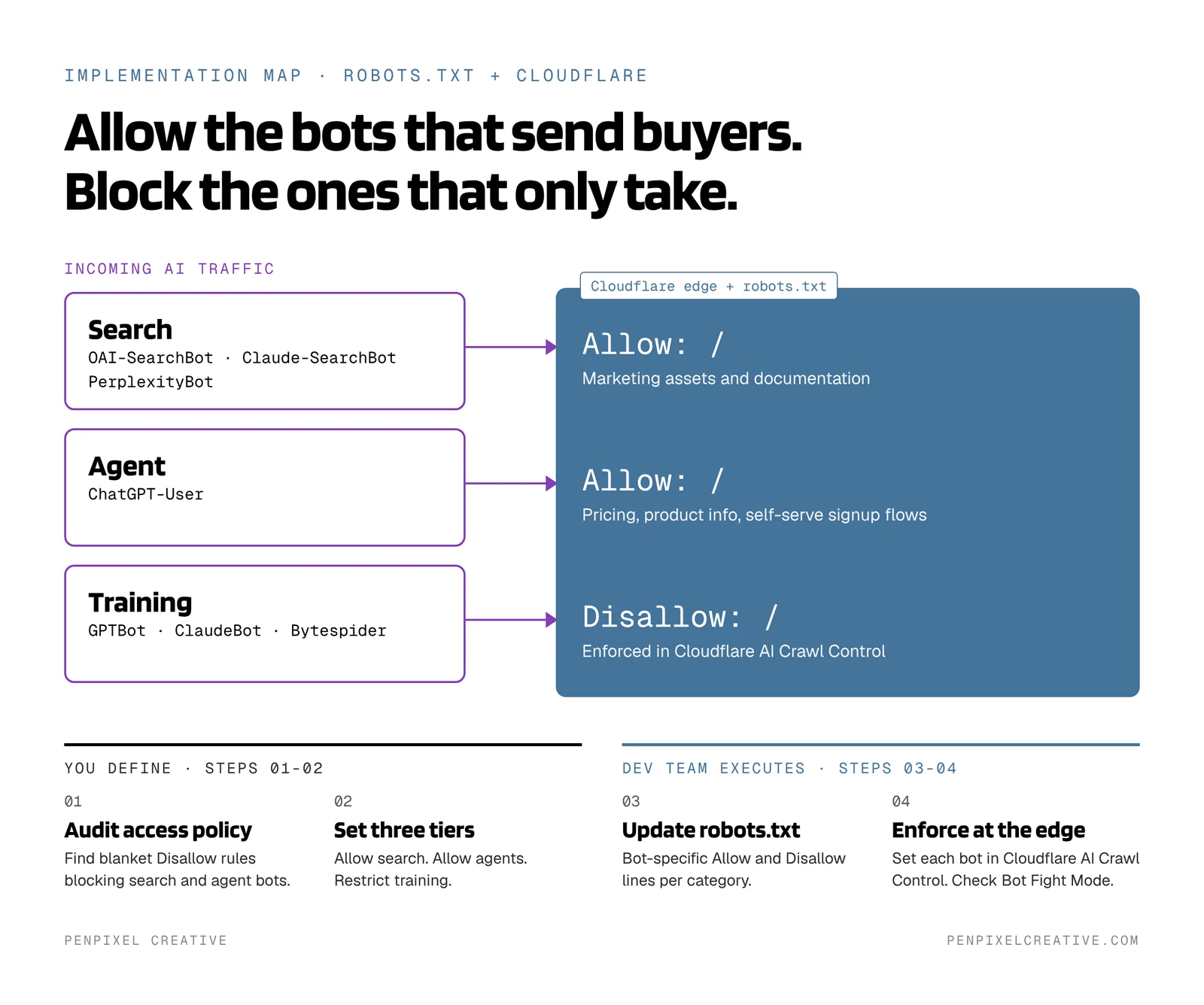
Ask your technical team to review your current robots.txt file, Cloudflare AI Crawl Control settings, and WAF rules. Ensure they are not using blanket Disallow directives that accidentally block high-value search and agent crawlers.
Step 2: Define Your Access Rules
Instruct your developers to apply a three-tiered access model:
- Allow Search Crawlers: Keep real-time citation engines active on all public marketing assets and documentation.
- Allow Agentic Crawlers: Maintain open access to product information, pricing pages, and self-serve registration flows so autonomous agents can complete user tasks.
- Restrict Training Crawlers: Block pure scraping bots that use your data to train models without driving traffic back to your business.
Step 3: Provide Specific Directives for robots.txt
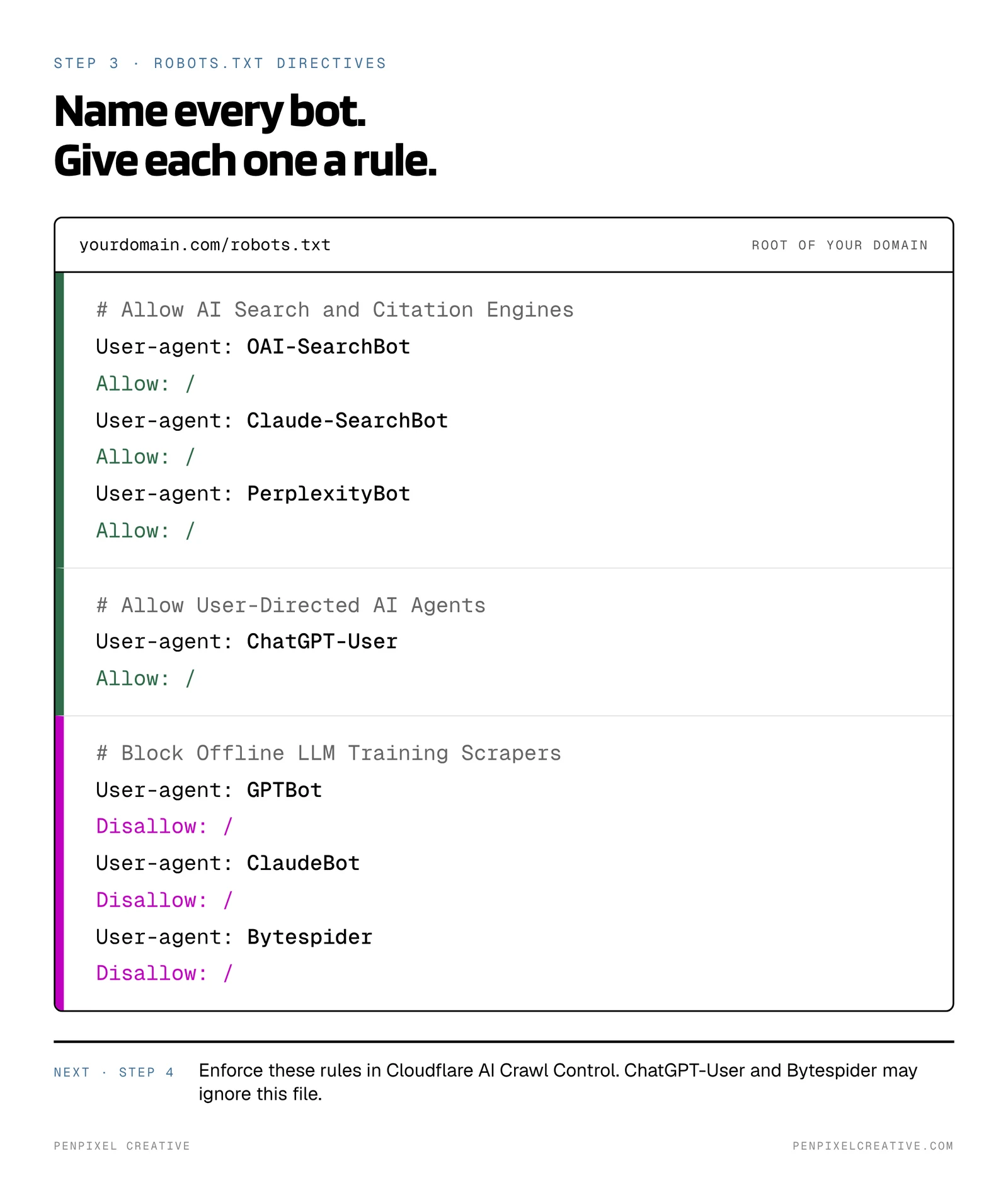
Have your developer update your root robots.txt file using clear bot-specific parameters:
Copy-paste version:
# Allow AI Search and Citation Engines
User-agent: OAI-SearchBot
Allow: /

User-agent: Claude-SearchBot
Allow: /

User-agent: PerplexityBot
Allow: /

# Allow User-Directed AI Agents
User-agent: ChatGPT-User
Allow: /

# Block Offline LLM Training Scrapers
User-agent: GPTBot
Disallow: /

User-agent: ClaudeBot
Disallow: /

User-agent: Bytespider
Disallow: /
Two caveats your developer needs to know:
- ChatGPT-User may not honor robots.txt. OpenAI says that because its actions are initiated by a live user, robots.txt rules may not apply. To control agent access reliably, set it at the edge in Step 4.
- Bytespider has a documented history of ignoring robots.txt. Block it at the edge too, not just in this file.
Step 4: Enforce in Cloudflare AI Crawl Control
In the Cloudflare dashboard, open AI Crawl Control for your domain and set each crawler to Allow or Block. Cloudflare enforces those choices with a WAF custom rule at the network edge, before requests reach your origin server.
If Bot Fight Mode is on, your allow rules can’t override it. Cloudflare does not let WAF custom rules bypass Bot Fight Mode, so check it before assuming search bots get through.
The Strategic Advantage of Granular Control
Default network settings prioritize platform safety, not your market share. Relying on automated defaults or unmanaged edge settings means third-party platforms decide how your software is represented to buyers.
By taking deliberate control of AI crawler permissions:
- You preserve search visibility across next-generation discovery channels.
- You ensure AI agents can navigate your self-serve flows without breaking the buyer journey.
- You protect proprietary messaging and content from unauthorized model ingestion.
Managing machine access is a core requirement of modern revenue infrastructure. Ensure your engineering team implements these rules today.
Next Steps for Strategic Clarity
If you are unsure how AI search engines and autonomous agents currently read, cite, or represent your brand, you need a precise diagnostic.
Request a Machine-First Readiness Audit from Penpixel Creative. We audit your technical architecture, content accessibility, and entity positioning to show you exactly how machine discovery systems evaluate your business, and what fixes are required to secure your market position.